
Bulk SMS Service Features for Business
Reach customers with clear, trackable business messaging.
OnlineSMS provides a web-based platform for sending SMS campaigns, integrating messaging through APIs, and reviewing campaign reports. Choose the messaging services that fit your communication needs.
- Web-based Bulk SMS panel—no desktop software installation required.
- SMS API integration for supported applications and workflows.
- Sender ID / header support subject to applicable registration and approval requirements.
- Campaign delivery reports and error information to help investigate unsuccessful messages.
- Pricing options based on the service and package selected.
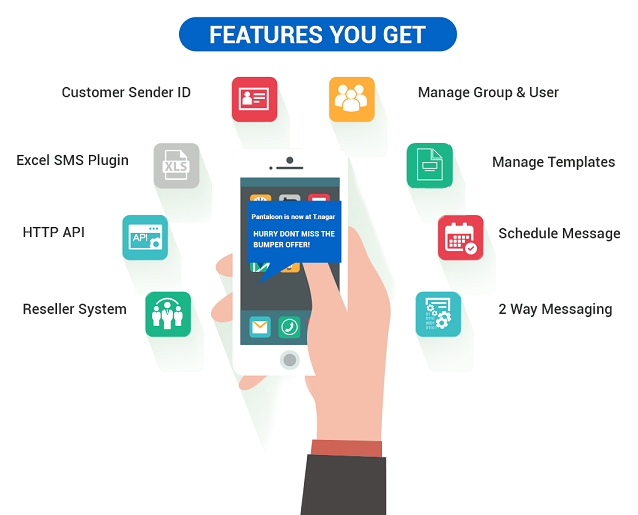
Bulk SMS Platform Features
Tools to help manage business messaging
Web-Based SMS Panel
Manage campaigns through a browser-based panel without installing a dedicated desktop application.
SMS API Integration
Connect compatible business applications, websites or systems to your messaging workflow using the supported API documentation.
Sender ID and Header Support
Use an approved Sender ID/header where applicable. Registration, template mapping and message eligibility depend on current operator and regulatory requirements.
Delivery Reports
Review available campaign status reports and error information to help identify issues with message submission or delivery.
Flexible Package Options
Choose a package suited to your expected messaging volume and service requirements. Confirm current rates and taxes before purchase.
SMS and Related Messaging
Explore the relevant messaging channels for your use case. Availability, features and commercial terms may vary by service.
What Can You Use Bulk SMS For?
Common business communication use cases
- Order, booking and appointment updates
- Service notifications and account alerts
- Customer reminders and follow-up messages
- Promotional campaigns where permitted
- Website and application notifications through API
- Operational updates for customers and members
Before sending, ensure your contact lists, consent, message templates, headers and campaign type meet the applicable rules for your route and audience. Delivery depends on recipient status, operator filtering, network conditions and message compliance.
Frequently Asked Questions About Bulk SMS Features
Do I need to install software?
The platform is described as web-based, so a supported browser and internet connection are used to access the panel. Confirm account and browser requirements with support.
Can I connect my website or application?
API integration may be available for supported workflows. Contact OnlineSMS for the current API documentation, authentication method and integration requirements.
Does every SMS get delivered?
No messaging provider can responsibly guarantee delivery to every number. Delivery may be affected by invalid or unreachable numbers, operator rules, filtering, recipient settings and message configuration. Use reports to investigate available status information.
Can I send messages using my brand name?
Sender ID/header use depends on the message route and applicable registration and approval requirements. Ensure the required entity, header and template details are correctly registered before sending.
Where can I check pricing?
Pricing depends on the selected service and package. Visit the relevant service page or contact OnlineSMS to confirm current rates, taxes and terms.